Skip to content

Learn to code.
Build the future

Fun and interactive online learning for students from Grade 1 to Grade 10. Explore coding, robotics, and AI through hands-on projects.

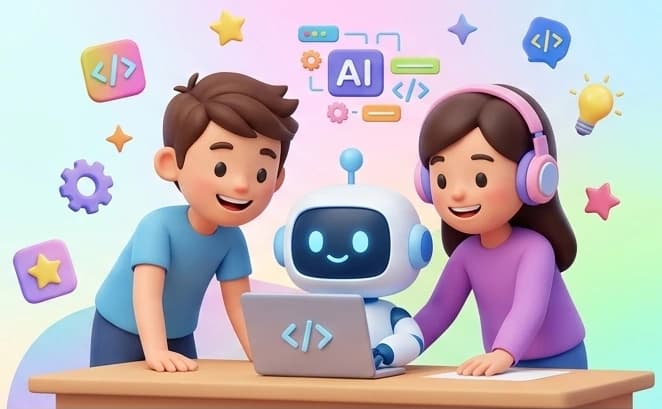
Two children and a friendly robot coding together on a laptop

Two ways to learn

Live classes or self-paced courses — your choice

Both paths teach the same hands-on coding, AI and robotics skills. Pick what fits your family's schedule.

Live Classes

Small online groups or one-to-one sessions with an instructor. Fixed schedules, live feedback, and times shown in your local time and Nepal time.

  • Group batches and one-to-one options
  • Free demo class before you decide
  • Attendance and progress for guardians

Self-Paced Courses

Video lessons, code examples, quizzes and projects your child can complete at their own pace, with progress saved automatically.

  • Learn anytime, continue where you left off
  • Quizzes, exercises and project feedback
  • Certificates reviewed by our team

Popular programs

Prices shown for Nepal · change market

Grade 4-8

Live AI & Robotics Lab

Small live classes where kids build and program smart robots.

LiveRoboticsAILive
Grade 7-10

Live Python Coding Club

Real Python with a live instructor and a small group.

LivePythonCodingLive
Grade 1-3

Young Creators

Explore your creativity with cute coding projects.

GamesStoriesCreative CodingSelf-paced
Grade 4-6

Code Explorers

Learn your coding skills with interactive projects.

CodingRoboticsAI BasicsSelf-paced
Grade 7-8

Tech Builders

Dive deeper with Python, electronics and real projects.

PythonElectronicsRoboticsSelf-paced
Grade 9-10

Future Developers

Smart teenagers, AI and project development.

PythonAIWeb DevelopmentSelf-paced

Student project gallery

View all projects

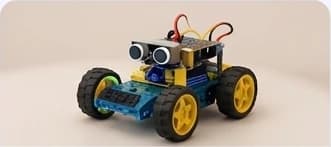
RC Car

Grade 5 • Robotics

3

By Rohan

Projects appear only after guardian consent and moderator approval. We show first names only.

How learning works

From first demo to finished project

  1. 1

    Create a family account

    A guardian registers, verifies their email and adds a profile and login for each child.

  2. 2

    Try a free demo

    Book one free demo per program, or start a self-paced course's preview lessons.

  3. 3

    Pay once, we activate

    Pay by QR or bank transfer, upload proof, and an admin reviews it and activates access.

  4. 4

    Learn, build, celebrate

    Attend classes, finish lessons and projects, earn badges and reviewed certificates.

For children

Confidence through creating

  • Age-appropriate paths from Grade 1 to Grade 10
  • Projects that turn ideas into games, apps and robots
  • Badges that reward effort, consistency and improvement — not just speed
  • A moderated community to share and get feedback

For guardians

  • One family dashboard for every child's progress, attendance and certificates
  • Clear one-time prices in your market's currency — no subscriptions or hidden renewals
  • You control child logins, consent and what is shared publicly
  • Email and dashboard updates for bookings, payments and important changes

Instructors & teaching

Small groups, real feedback

Live classes are led by instructors assigned by our team. Instructors see only the students in their own classes, record attendance honestly and give feedback on assigned projects. Every lesson plan is designed around building something real.

How we teach

FAQ

Questions families ask

Does my child need any coding experience?

No. Each course and live program lists a recommended grade range and experience level, but they are guides, not strict limits. Beginners start with visual blocks before moving to typed code.

What's the difference between live classes and self-paced courses?

Live classes are scheduled online sessions with an instructor, in small groups or one-to-one. Self-paced courses are lessons, quizzes and projects your child completes on their own timeline, with progress saved automatically.

How does the free demo work?

Each child can have one free demo per live program. Pick a published slot or ask for another time. A completed demo or a no-show uses the free demo; if our instructor cancels, it doesn't. Booking a demo never creates a purchase.

How do payments work?

Every course and live package is a one-time payment of the full amount, shown in your market's currency before you confirm. Pay by the QR or bank-transfer instructions shown at checkout, then upload your payment evidence. An administrator reviews it manually. There are no instalments, subscriptions or automatic charges.

When does access start?

After an administrator approves your full payment, an authorised admin activates access for the specific child you purchased for. You'll get an email and a dashboard notification when it's active.

Can I get a refund?

Payments are non-refundable except where a refund is required by applicable law or other mandatory obligations. This doesn't limit your statutory rights. If our instructor cancels a class, it is rescheduled and doesn't reduce your package.

See all questions

Not sure where to start?

Book a free demo class or send us a question. We aim to acknowledge requests within one business day.

Prices from NPR 2,500.00